Alex Carr
Millipore Bioreactor
Redesigning a cell-growing interface.
Millipore had previously been using different third party platforms to control their line of bioreactors. This inconsistency was confusing for customers and in all cases was not Millipore branded software.
Through countless user interviews of scientists and lab technicans we were able to create a platform that really fits into the mental model of the user and removes all of the pain points they felt on a daily basis. At the same time, with this design and others we have worked on across Millipore, we've instilled a consistent visual design language for Millipore branded applications that users will find familiar and approchable as they move across systems.
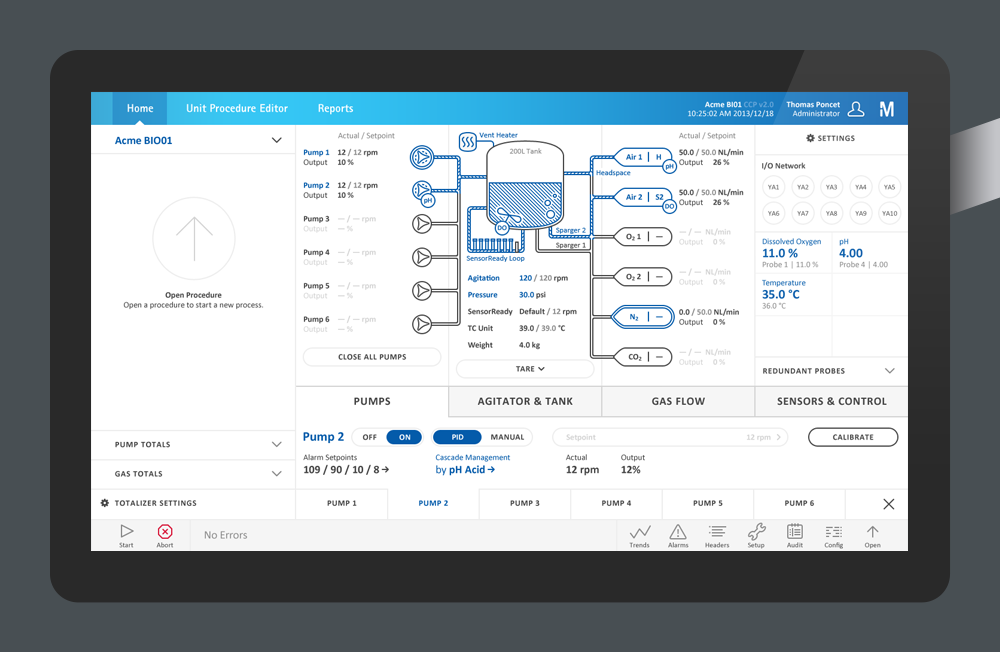
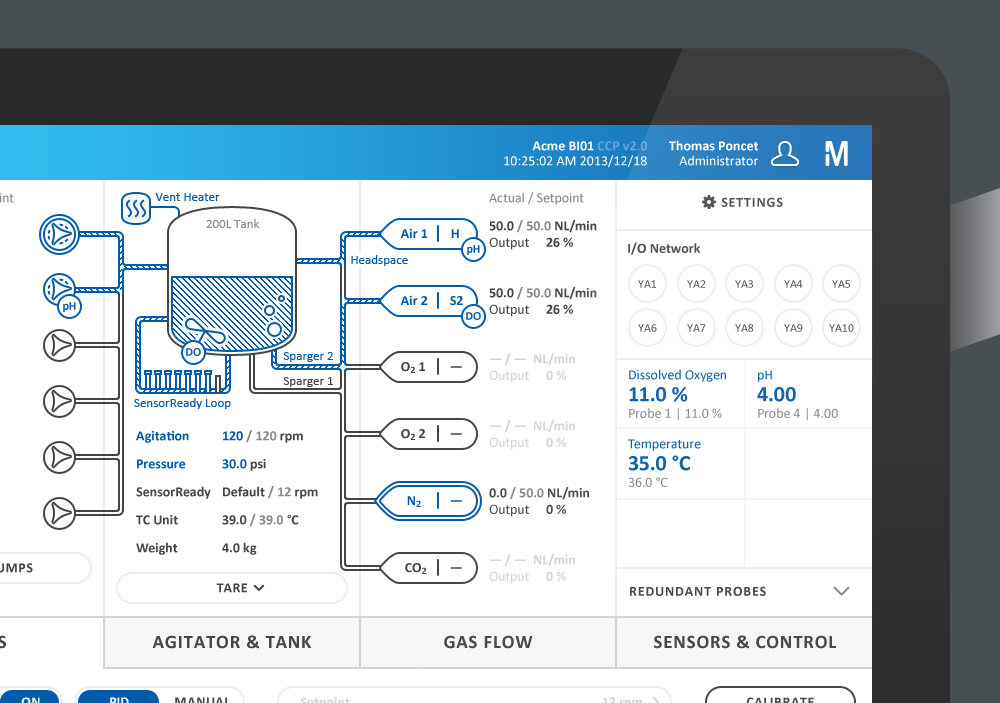
The application's main screen is it's piping and instrumentation diagram (P&ID). Previously this was partly separated from many of the various controls in the system. As part of our redesign we found that associating all possible controls with their actual hardware, grouped in a way that matched the user's model of the system, made it easier for users to find the control they want without needing any manuals or help
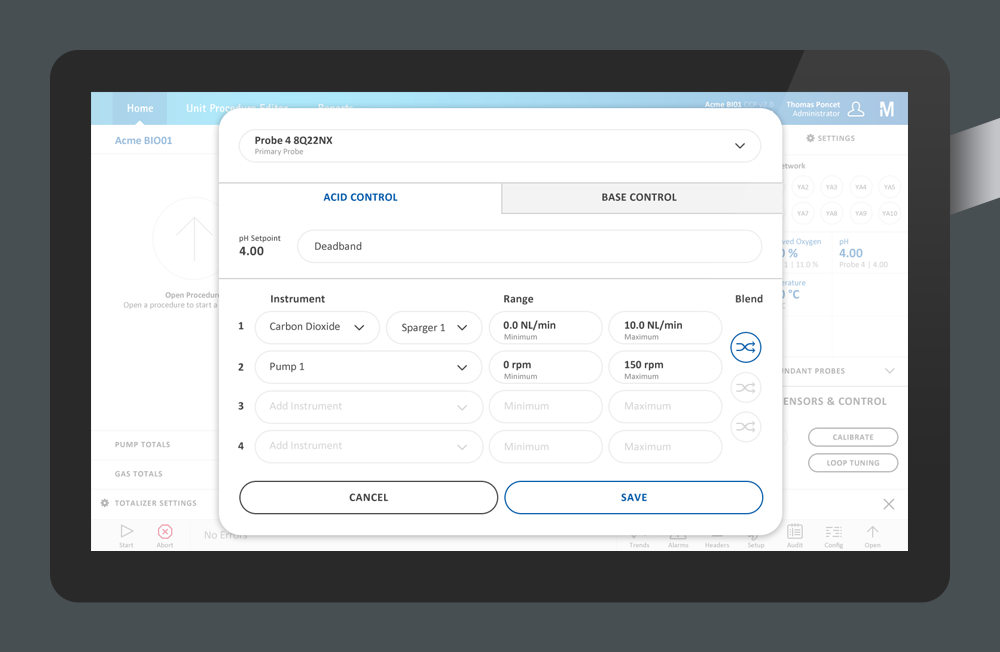
When scientists are growing cells in a bioreactor they need to manage the habitat to foster that growth. In this case they are controling the pH using a series of instruments that will react to changes in the tank. The old way to do this was very confusing and difficult for new users. When the new system was presented to new users there was little to no time before they understood how to easily control the cell growth the way they wanted to.
-

Akamai Global Dashboards
Responsive, high-level analytics web app.
-

Gold Gallery
Identity, marketing, signage, and interactive.
-

Millipore Integritest 5
Next generation filter testing interface.
-

Steez Magazine
Editorial design for the snow, skate, and culture magazine.
-

Keith Shore
Illustration Portfolio Site.
-

One is the Zero that Comes Before
Brochure design for artist solo exhibition.
-

Thermo Scientific
Lab workflow sales application.
-

Maark Pictograms
Icon and drawing system for marketing.